Department of Campus Safety and Police
Our mission is to promote and maintain a safe, inclusive, and welcoming campus environment as we serve and protect the college community.
Location
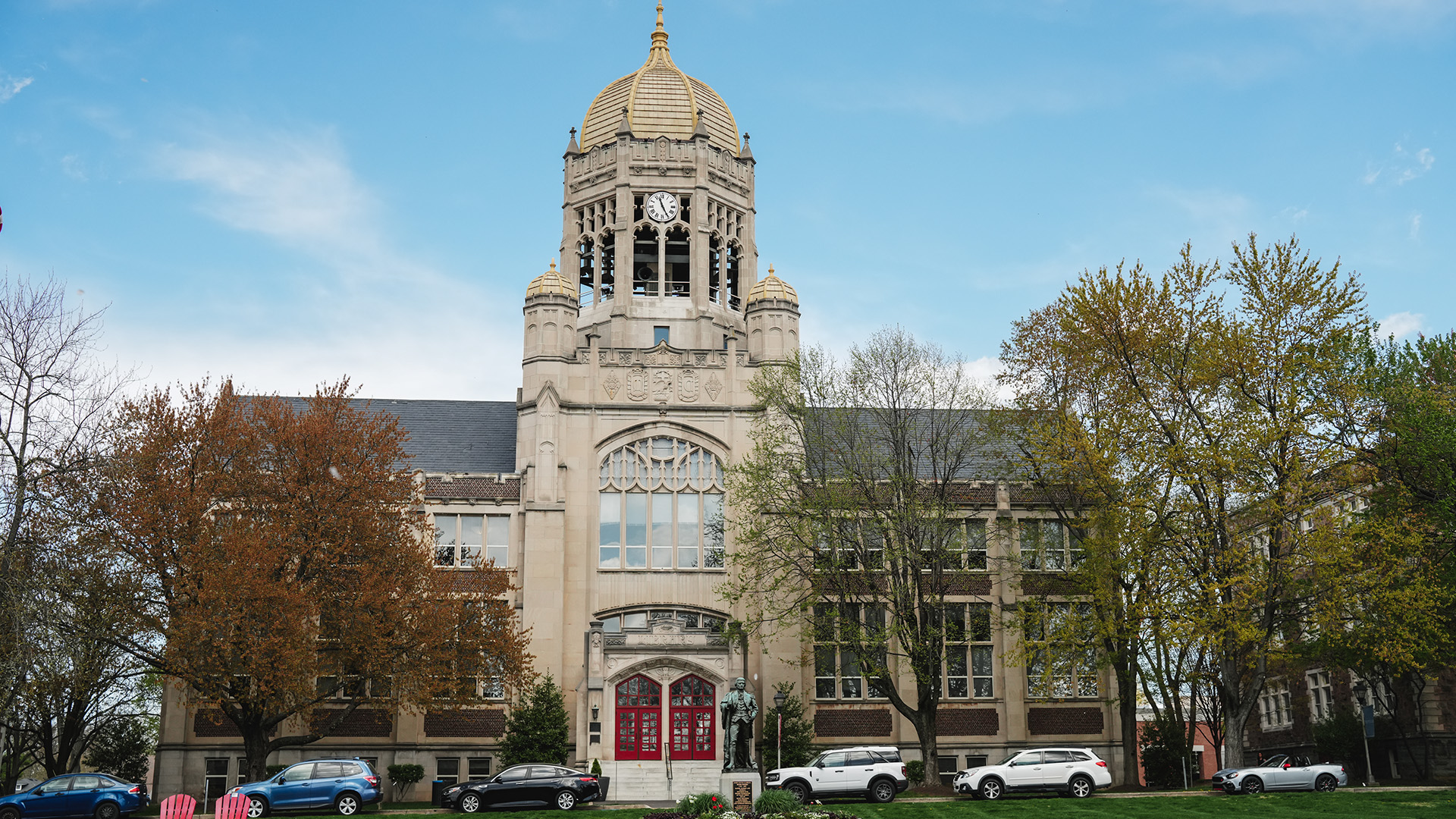
Lower level of Prosser Hall (at 26th and Chew Streets)
Emergency Number
484-664-3110 (x3110 from campus phones)
Non-Emergency Number
484-664-3112 (x3112 from campus phones)
Mailing Address
Department of Campus Safety and Police, 2400 Chew St., Allentown, PA 18104
Fax
484-664-366
Lockdown and Shelter-in-Place Procedures
Both lockdown and shelter-in-place notifications will be sent through Muhlenberg’s emergency alert system, Omnilert, but these procedures are triggered at different times and require different responses.
Lockdown
A lockdown is a procedure used when there is an immediate threat to a building’s occupants and there is a need to stop access to all or a portion of the buildings on campus. In the event of a lockdown, secure yourself in a room, locking or barricading the door, and remain there — quiet, with phones muted and lights off, staying away from windows — until the situation has been resolved.
Shelter-in-Place
Shelter-in-place is used when an incident occurs and the buildings/areas around you become unsafe due to a weather emergency, environmental hazard, or police activity. During a shelter-in-place, remain inside your space, lock outside doors, pause what you’re doing, and remain calm. If your building is damaged or you’re outside, seek shelter in the nearest building.
In both cases, an “all clear” message will be sent once the area is deemed safe.
Safety Information and Campus Safety Services
Explore the many ways in which we protect and serve the campus community.
What Makes Muhlenberg a Safe Campus
Without hesitation, we are able to say that our campus is as safe as any other college or university in the country — and in many ways, safer. We say this because of the following:
- There are more than 160 camera views located in common areas around campus and places of high student traffic. We have the capability of monitoring them, as well as recording anything of a suspicious nature that may occur.
- All residence halls are locked 24 hours each day.
- All dormitory rooms are equipped with smoke detectors and sprinkler heads.
- There are 62 blue light emergency telephones strategically located around campus, with blue lights on the top so that they are visible during hours of darkness.
- We utilize a free text messaging system that allows us to send notifications to Muhlenberg College students, faculty, and staff during any emergency that may occur on campus.
- A pop-up desktop warning with an audible alert tone can be sent to over 200 college-owned computers, providing a message during on-campus emergencies.
- We have an active working relationship with the Allentown Police Department, who are able to respond quickly if there is a need for assistance on campus.
- The Allentown Police Department has installed seven cameras on the outskirts of the campus, which can monitor activities of concern that may affect the campus community.
- Our officers are able to provide escort services to students 24 hours a day.
The Safety Services We Offer
Operation Identification
Operation identification is a crime prevention system whereby all valuables are permanently marked with an identifying code. It has invariably reduced burglaries and thefts in areas where it is used. Its aim is to deter burglars and (failing that) to help police recover and identify stolen property. The service is free and easy to obtain. We urge you to take advantage of this service. Feel free to call us at Campus Safety or stop by. The program works as follows:
- Electric engravers can be checked out (Muhlenberg I. D. required) from the Campus Police or an officer can come to your residence to mark valuables.
- Engrave your social security number or any other identifier (i.e. driver’s license number or phone number) on all easily movable or portable items of value.
- List your valuable items, being careful not to overlook anything. Keep a record of articles with brand, model, serial number and value where it is safe and easily found.
- Books are becoming expensive and an easy target for a thief. Never leave books unattended and mark several pages with your initials in order to maximize the chance of catching the thief before the books are resold.
- To help identify stolen property recovered by Police Departments, the Campus Police keeps a list of students’ social security numbers. Thus, recovered property can be matched with a student’s name and returned to them.
Crime Prevention Services
Campus Safety has available, at no cost, a full range of crime prevention services designed to help you in properly securing your property and to help reduce your chances of becoming the target of a potential burglary or assault. Please contact the crime prevention team at Campus Safety. Crime prevention programs are held for each residential facility at the start of the academic school year and at various times during the school year.
Safety Escort Service
The Department of Campus Safety provides a 24/7 escort service for any student, faculty, or staff member. This is conducted by an officer who will respond on foot, by bicycle, by golf cart, or in a vehicle. You can call for an escort from any college property to be taken to another college property. We encourage students to use this service — students should never walk alone at night on campus — and to be aware of emergency phone locations. This is a free service provided to ensure the safety of individuals of the campus community. To use the service, call x3110 or 484-664-3110 and provide your name, location, and destination. Emergency calls supercede escorts; if no officers are available due to an emergency, the escort will be handled as soon as an officer is available.
After-Hours Calls
Campus Safety also takes after-hours maintenance calls for Plant Operations as well as after-hours calls for the health and counseling centers. Campus Safety can connect you with a health professional or counselor.
Annual Security & Fire Safety Report
Clery Notice of Availability
Pursuant to the Jeanne Clery Disclosure of Campus Security Police and Crime Statistics Act, the 2026 Annual Security and Fire Safety Report is available to view. This act requires institutions of higher education that participate in the Federal student financial aid programs to disclose campus security information including crime statistics for the campus community. This act states that a copy of these publications must be made available to all current and prospective students and employees.
The Muhlenberg College Department of Campus Safety, in conjunction with the Muhlenberg College Clery Committee, prepare, publish, and distribute the Annual Security and Fire Safety Report. The Annual Security and Fire Safety Report includes statistics for the previous three calendar years concerning reported crimes that occurred on campus, in certain off-campus buildings, on property owned or controlled by Muhlenberg College, and on public property within or immediately adjacent to and accessible from campus. This report uses information collected by the Muhlenberg College Department of Campus Safety, College offices, and local police departments that have jurisdiction over property within or immediately adjacent to and accessible from campus.
The Annual Security and Fire Safety Report also contains institutional policies concerning campus security, alcohol and drug use, crime prevention, the reporting of crimes, timely warning of crimes, sexual and interpersonal violence, and personal safety at Muhlenberg College.
Access the current Annual Security and Fire Safety Report.
A hard copy of this report is available 24 hours a day at the Campus Safety Office located in Prosser Hall.
Previous Annual Security Reports:
Crime Prevention
Protection of Self and Property
The following suggestions are offered to help you protect yourself and your personal property:
Around and in Your Residence
- Report all suspicious persons and/or activity on campus to the Department of Campus Safety immediately at extension 3110. To the best of your knowledge, describe the suspicious individual(s) to the dispatcher, the activity they are involved in, vehicle information if known as well as the last known location of the individual(s).
- When alone in your room, keep the door locked. You should also keep your room door locked at night when sleeping.
- When you leave your room, even if only for a few minutes, CLOSE AND LOCK your door. This will ensure that no one is inside waiting for you to return and help prevent any property from being stolen.
- NEVER prop exterior doors. Propping exterior doors provides an opportunity for unwanted individuals to enter your residence. Individuals caught propping exterior doors will be subject to a fine and/or disciplinary action.
- When entering a building with a key or a keycard, do not allow others to enter if they are unknown to you. If they do enter and you believe that they are suspicious, call Campus Safety .
- Keep your key or keycard for your residence hall. DO NOT lend your key or keycard to anyone. In the event you lose your key or keycard or it is stolen report it to Campus Safety IMMEDIATELY. Keycards will be deactivated to ensure no other unauthorized persons gain access to your residence hall. If found, the keycards may be reactivated.
- Do not publicize your last name, phone number, where you are or when you will return on your room door or lounge area, this enables strangers to gain information that may be used to harass you.
- Never attach your name and room number to your key or keycard. It is suggested that you carry your key and/or keycard separate from any identification. In the event that your keys or keycards are stolen this will prevent unknown individuals to locate where you live.
- Report all suspicious persons or harassing phone calls to Department of Campus Safety and Police IMMEDIATELY at extension 3110.
- Keep the Campus Safety number and other emergency numbers near your phone.
While Out Walking
- Walk together. Two is good but the larger the group the better.
- Avoid dark or deserted areas, streets, alleys, parking lots, and cemetery grounds. DO NOT use Cedar Beach Park as a short cut to Hamilton Street. The park closes at dusk, it is poorly lit.
- Avoid areas known to have crime problems – especially at night.
- Be alert, observant, and aware of your surroundings. Take note of any person(s) on the street with you. When walking, walk with your head up, with confidence and as if you have purpose and/or destination. Avoid walking with headsets on, as this will decrease your ability to hear what is going on around you.
- Don’t hitchhike or accept rides from strangers or casual acquaintances.
- If you see or believe that you see a suspicious incident, report it immediately to Campus Safety at extension 3110.
- In the event you need to go somewhere on campus at night alone, Department of Campus Safety and Police provides an escort service. You can receive an escort by calling extension 3110 or 3112.
Protecting Personal Property
- Record serial numbers, model, and brand name as well as a description of valuable items in your room or office with the estimated value. This information should be kept in a secure location. A copy of this information should be kept at home as well.
- NEVER leave valuables unattended, lying on the top of a dresser or desk, or any location where somebody can easily access it and take it. Keep a record of all credit cards in a separate place and keep code numbers to MAC cards hidden.
- Avoid carrying or keeping large sums of money around. DO NOT TELL ANYONE that you have large sums of money on your person or in your room.
- Require identification and authorization from service men or plant operations personnel prior to allowing them entry to your room. When in doubt call Campus Safety (extension 3110) or Plant Operations (extension 3400) to verify. All plant operations personnel and outside contractors are required to wear identifying badges while on campus.
- When leaving your room, lock all doors and windows even if only leaving for a few seconds.
- During semester breaks take all valuables home with you. If you are unable to do so, do not leave valuables out in the open. Store them inside a footlocker or other secure area.
- Check with your insurance company to verify that your property is covered while at school. A rider should be purchased from your insurance company in case of theft.
Before Leaving for Break
- Ensure all windows and doors to your residence room and/or apartment is locked before leaving.
- Close all blinds and shades
- Turn off all lights
- Defrost your refrigerator and remove all food if leaving for more then five days.
- Remove all personal belongings from bathrooms and secure all valuables or take valuables with you.
- Take out all trash.
Property Identification
Property Identification is an anti-theft program. The goal of the program is to deter burglars and to help police recover and identify stolen property. The program works as follows:
- An officer from the Department of Campus Safety will come to the residence halls. Campus Safety will notify the students in advance when they will be in your building. The officer will then engrave any items of value with an electric engraver.
- Your driver’s license operator number is engraved on all portable items of value.
- A list of all engraved items including brand names, model numbers, serial numbers, and value of the items is compiled. The student receives the list, which should be kept in a secure area. A copy of this list should be kept at home, as well as a copy to be kept at Campus Safety.
Books are an easy target for thieves; never leave your books unattended. Mark them with your name and last four digits of your social security number. Mark several pages with your initials. Using the same page number in all of your books will assist you in being able to recall which pages are marked should you need to report the book lost or stolen. If books are stolen this enables the person buying the book back to determine its rightful owner.
In the event your items are marked and become lost or stolen, the property may then be identified and returned to its owner.
Protecting Your Bicycle
- Buy a good lock for your bicycle. Professionals recommend the horseshoe shaped steel alloy lock, which operates by a key. These are more expensive than the chain and padlock type but are more effective in preventing thefts.
- Lock your bike to the bike racks around campus. NEVER lock your bike to hand rails, in handicapped walkways, or interior stairwells.
- Put the lock through the frame of the bike as well as both wheels if possible. Otherwise the lock should go through the frame and which ever tire is easiest to remove.
Bicycle Registration
In accordance with the City of Allentown Ordinance, all bicycles within the city must be registered with the Allentown Police Department. All bicycles will be issued a license, which will be assigned to the bicycle that is valid up to two years. There is no charge for this registration. Individuals operating bicycles that are not registered could face a fine of up to $25.00 and/or immediate confiscation of the bicycle by the police. This ordinance also requires that proper lights be affixed to the bicycle if it is to be operated in the evening hours. Failure to have proper lighting on the bicycle may also result in a fine. To assist in this registration, the registration forms will be available at the Department of Campus Safety Office. To register your bike, bring your bicycle to the Campus Safety Office and provide the make, model, serial number, color, the number of gears, special equipment and wheel size. The Department of Campus Safety will provide the completed registration forms to the Allentown Police Department. If you have any questions, call Campus Safety at extension 3112.
Protecting Your Vehicle
- Remove the ignition key and lock the doors whenever you are not in the vehicle.
- Avoid leaving valuables in the car. If you are unable to take them with you, lock them in the trunk.
- When parking, choose a well-lit area and park in a high traffic area.
- Install anti-theft locks and/or a vehicle alarm.
- Keep a spare set of keys in a secure area.
- Check for loiterers before leaving or returning to your vehicle.
- Check under the vehicle as you approach it. Check the back seat of your vehicle prior to entering your car.
- Have your keys ready before returning to your vehicle.
- Keep your doors locked when driving. Drive on well lit streets whenever possible.
- If your safety is threatened, hold down the horn and drive off.
- Remember ALL vehicles need to be registered with Campus Safety.
- If you see any suspicious person(s) or vehicle(s) on or around campus, or someone confronts you, call Department of Campus Safety and Police at extension 3110.
- Remember, if you return to campus late at night, use the emergency phones to call Department of Campus Safety and Police or stop at the Campus Safety Office prior to parking your vehicle for an escort to your residence hall.
Computer Protection
With the availability, mobility and need to use computers in today’s environment issues arise to protect yourself and your computer. The tips below are offered as a guide to protecting yourself and your computer. More information on responsible computing can be obtained from the Office of Information Technology.
- Consider how you choose and assign your passwords. When using programs where passwords are necessary you should consider using passwords that contain numbers and/or symbols along with letters. Create unique passwords and personal identification numbers (PINS) and avoid using easily available information such as mother’s maiden name, date of birth, or the last four digits of your Social Security number.
- Keep passwords complex, this will make it difficult for individuals to randomly select your password or using software for decoding passwords.
- Avoid using the same password for all password-protected programs.
- With the Internet use being high it is important that computer owners install virus protection programs on their computer. In addition it is recommended that you use a virus protection program that can be upgraded regularly. For information on computer viruses Internet users can get general information at http://securityresponse.symantec.com/, http://www.vmyths.com/, or http://www.cert.org/other_sources/viruses.html.
- When using the Internet you need to use some caution. When receiving electronic messages it is important to verify the sender as someone you know. Caution should be used when opening attachments. Your virus protection program will help with opening attachments.
- Purchases on the Internet make shopping easy and convenient. It is important that when you’re making purchases on the Internet you do so on secured websites. You should use extreme caution in how often you make purchases on the Internet.
- Although the site you may be making the purchase on is secured you need to keep in mind that once your information is placed into the Internet your information is available in the Internet world. Additionally your information could be stolen in the event that the site where your purchase was made could be hacked into and your information could be obtained. It is important that you check credit card monthly statements to make sure all purchases are authorized.
- To identify if the web site is allowing for a secure or encrypted transaction look for the following two features on the computer screen:
- An icon of a lock in the bottom strip of the web browser page
- The URL address for the Web page changes from http:// to https:// for the page at which you input your personal data.
- When you sign on to the Internet it is important you do so when nobody is able to observe your sign in process and steal your log in name/password. It is important that when you are done working on the Internet that you sign out immediately. This will prevent others from coming along and using your identity to send messages.
- When using the Internet or electronic messaging programs on public use computer it is important that you check the program preferences to verify that your login name and password is not being saved for future use.
- Individuals who have homepages and use away messages should use extreme caution in the information you provide in your messages. You may not know who may be reading your information and what their intentions may be.
- When you place personal information on the Internet you are providing this information to the general public. Some information you may want to avoid placing on the internet: age, date of birth, sex, marital status, schedules, and phone numbers. Additionally extreme caution should be used when posting photographs. Use extreme caution in what information you make available through the Internet in particular the information you post on the various social networking web sites.
- Make sure your data is backed up regularly. The value of the data you may lose if your computer is stolen may be worth more than the computer itself.
- Whether you use a laptop computer or a desktop unit it is recommended that you secure your unit at all times. There are various computer security devices commercially available. Some things to consider when purchasing these devices:
- The type of computer it is being used on.
- The dependability/reputation of the device/company.
- Where you will be using the device.
- The flexibility and durability of the device. The computer should be attached in a manner that will prevent the unit from being carried away or in a way that would make it difficult for individuals to remove the unit with ease. Some devices will allow you to secure your computer to furniture legs. The device should be made of hardened solid braided steel with a minimum thickness of 5mm.
- When deciding to purchase a key or combination lock, choose a manufacturer that has a key registration in case you lose the key or make sure the combination is one you can set on your own so that you have the protection of being the only one to know your combination.
- How accessible will your computer be to others?
- What is the value of your computer? Can you replace the information?
- Always lock your laptop and never leave your laptop unattended in a public place.
- Engrave your name or other information that identifies the computer as yours somewhere on the computer.
- Carry your laptop in an unassuming, well-padded bag to avoid the unwanted attention a traditional laptop bag or fancy leather briefcase can generate.
- Save a copy of your computer purchase receipt. Copy the serial number and description of your computer and place these documents in a safe place. This information will be necessary should you need to report your computer being stolen.
- In situations where your laptop may need to be placed through a security x-ray machine (for example in an airport), before you place your machine on the belt make sure you have a clear path to the end of the belt.
- Secure other products associated with your computer such as batteries, power cords, cables, fax/modem cards, external drives/storage devices, printers, cameras, and LCD projectors.
Identity Theft
Identity theft is the fastest growing crime in America. Identity theft occurs when someone uses your name or personal information, such as your Social Security number, driver’s license number, credit card number, telephone number or other account numbers or information, without your permission. Identity thieves’ use this information to open credit accounts, bank accounts, telephone service accounts, and make major purchases all in your name. Information can be used to take over your existing accounts, or to open new accounts. Identity theft can result in damage to your credit rating and denials of credit and job offers.
Identity theft commonly begins with the loss or theft of a wallet or purse. But there are many other ways that criminals can get and use your personal information in order to commit identity theft. Some other examples are:
- “Dumpster-divers” going through the trash looking for discarded information containing your name, address, phone number, utility service account numbers, credit card numbers, your social Security number, expired credit cards, and/or blank credit card applications.
- Email messages from what appears to be your Internet Service Provider (ISP) requesting that you update the information they have on file about you (i.e. your name, credit card numbers, bank account numbers, etc) by replying to the email or going to a specific Web site address to provide the information. However, neither the email nor the Web site is from or associated with your ISP.
While there is no guarantee that your identity will never be stolen, there are steps you can take to minimize the risk:
- Do not give your Social Security or credit card numbers to people or companies that you do not know, especially in cases you did not initiate the contact.
- Protect your paycheck and check stubs since your Social Security number may be on the check or stub.
- Before disclosing any personal information, make sure you know why it is required and how it will be used.
- Shred information that you no longer need that contains personally identifiable information, account numbers, or request personal identity information. For example, credit card receipts, billing statements, pre-approved credit card applications, ATM receipts.
- Guard your mail from theft. Promptly remove your mail from the mailbox and place outgoing mail in post office collection boxes. Using a locking mailbox properly may assist in preventing your mail from being stolen.
- Keep personal information you have at home, school or work in a safe place.
- Do not carry extra credit cards, your birth certificate, passport, or other cards that display your Social Security number in your wallet or purse except when necessary.
- Get a copy of your credit report from each of the three major credit-reporting agencies at least once a year. Review the reports to be sure no one else is using your identity to open new accounts or open accounts in your name.
- Report lost or stolen credit cards to the issuer immediately.
- Sign new credit cards immediately – before someone else does.
- Memorize your Social Security number and passwords, don’t carry them with you if it is unnecessary. Don’t use your date of birth as your password.
- Check expiration dates on credit cards and contact the issuer if you do not get a replacement card before they expire.
- Check monthly financial statements and bills and match credit card receipts where necessary for accuracy.
- Don’t leave receipts behind at ATM’s on counters of financial institutions, gasoline pumps, etc.
- When a carbon paper is used for a credit card purchase, request the carbon paper so that you can discard it the same way as any other financial statements.
- Reduce the number of pre-approved credit card offers you will receive by calling 888-5OPTOUT.
Daily Crime and Fire Log
Stay informed about safety on campus. Review the most recent Daily Crime and Fire Log to see reports of incidents and fire-related activity at Muhlenberg College.
Emergency Phones on Campus
Muhlenberg College has installed several emergency and campus phones in and around the campus. Emergency Phones will give you direct contact with Campus Safety. The phones are bright yellow with a blue colored light above them and have an “emergency button” or “help” that will dial Campus Safety when it is pushed. To use the emergency phone, press in the red button and it will automatically dial the Campus Safety dispatcher.
Emergency Preparedness
The information provided are risk reduction strategies, but they are not foolproof. There are no guarantees and nothing works all the time. It is our hope that these tips be used by you as a preparatory step towards your overall safety and in formulating your individual safety plan. While all scenarios cannot be covered these are some we feel could be helpful to you.
Fire and/or Explosion
In the event of a fire or explosion:
- Sound any available fire alarms.
- Immediately call Campus Safety at 3110 or 3112. Give your name, location, and the extent of the problem.
- If the fire is small, attempt to extinguish it with a fire extinguisher.
- If the fire is large, evacuate the building via the nearest fire exit. *
Additional suggestions:
- Do not panic.
- Do not run or use excited motions.
- Use stairways. Do not attempt to use elevators; they will shut down during a fire.
- Know in advance the locations of at least two fire exit routes.
- Be on the lookout for signs of smoke and fire.
- Know the locations of fire extinguishers and how to use them.
- Prevent fires through good housekeeping habits.
- If you use a fire extinguisher remember P-A-S-S:
- Pull the pin
- Aim the nozzle towards the fire
- Squeeze the handle
- Sweep the base of the fire
- Never turn your back on what you extinguished walk away backwards
- Notify Campus Safety – even if the fire is extinguished
* Upon evacuation of academic buildings, building occupants should gather in the following areas:
If the academic building is on the North side of Chew St. (College Center, Seegers Union, etc.), occupants should gather on the Front Lawn.
If the academic building is on the South Side of Chew St. (Trexler Library, Center for the Arts, Trexler Pavilion), occupants should gather on the lawn area to the east of the Library.
Injury or Illness
- Do not move an injured or ill person unless it appears to be a life-threatening situation.
- Call or, if possible, have another person call the Campus Safety Office at 3110 or 3112. Provide the dispatcher with as much information as possible regarding the nature of the injury or illness, and state whether or not the victim is conscious, etc. The Campus Safety Office will arrange for an ambulance if required and will also notify the Student Health Center and/or other emergency agencies.
- Return to the victim. Administer first aid or CPR if you are knowledgeable and you have such training. Keep the victim as comfortable as possible.
- Remain with the victim until the Campus Safety Officer arrives.
Crime in Progress/Civil Disturbance
- Do not attempt to apprehend or interfere with the criminal except for self-protection.
- Telephone Campus Safety at 3110 or 3112. Give your name, location and department. Advise the dispatcher of the situation and, if you are safe, remain where you are until contacted by an officer.
- If safe to do so, attempt to get a good description of the criminal. Note height, weight, sex, ethnic origin, approx. age, clothing, method and direction of travel, and name if known. All of this takes only a few seconds to notice and is of utmost help to the investigating officers. If the individual enters a vehicle, note the license number, make and model, color and any other noticeable characteristics.
- In the event of civil disturbance continue with your routine as much as possible. If the disturbance is outside, stay away from doors and windows. Unless threatened with physical harm, do not leave your work location until advised by a College official and/or their designee.
- Do not interfere with those creating the disturbance or with law enforcement authorities on the scene.
Earthquake
- If you are in a building, move away from windows and try to position yourself in a doorway or under a desk or table.
- When the tremors cease, or they are very slight, * evacuate the building in an orderly fashion.
- Use stairways – not elevators – during evacuation.
- If possible, Campus Safety personnel will assist in the evacuation of building occupants into open areas.
- Avoid positioning yourself under or next to objects that may topple, such as utility poles, trees, etc.
- Reassemble in a location as directed by your supervisor or by a Campus Safety Officer. Attendance will be taken to assure that all personnel are accounted for outside of your facility.
- Should you require evacuation assistance, please telephone the Campus Safety Office at 3110 or 3112.
* Upon evacuation of an academic building, building occupants should gather in the following areas:
- If the academic building is on the North side of Chew St. (College Center, Seegers Union, etc.), occupants should gather on the Front Lawn.
- If the academic building is on the South Side of Chew St. (Trexler Library, Center for the Arts, Trexler Pavilion), occupants should gather on the lawn area to the east of the Library.
Chemical or Radiation Spill
- Call the Campus Safety Office at 3110 or 3112 and give the following information:
- Type of incident (chemical spill, radiation hazard, etc.)
- Type of chemical, if known.
- Whether or not students are injured.
- Extent of injuries.
- Location of incident.
- Name and title of caller (student, technician, professor, etc.)
- Pull the alarm and evacuate the building.
Should the spill occur outside your building:
- Notify the Campus Safety Office of the incident and type of chemical, if known.
- Remain in your building unless ordered by Campus Safety to evacuate.
- Close all windows and turn off all outside air intake vents or fans.
- Leave your building only when told to do so, and travel away from the spill and in an upwind direction, if possible.
* Upon evacuation of an academic building, building occupants should gather in the following areas:
- If the academic building is on the North side of Chew St. (College Center, Seegers Union, etc.), occupants should gather on the Front Lawn.
- If the academic building is on the South Side of Chew St. (Trexler Library, Center for the Arts, Trexler Pavilion), occupants should gather on the lawn area to the east of the Library.
Bomb Threat
- Whenever a bomb threat is received over the phone, remain calm and write down the following information:
- The exact words of the caller.
- Location of the bomb.
- When the bomb is supposed to go off.
- Type of bomb, how it will detonate and who placed it, if stated.
- Write down a description of the caller’s voice:
- Male, female, child or adult?
- Any background noise?
- Particular accent or inflection in the caller’s voice.
- Your mental picture of the caller.
- Notify the Campus Safety Office, as quickly as possible, by phoning 3110 or 3112.
Evacuation procedure:
- Unless you perceive the situation as life threatening, in which case you should evacuate immediately, wait for Campus Safety to arrive at the building. DO NOT activate the fire alarm to evacuate the building
- Take note of “suspicious” items as you exit the building but to not touch or move them if they do not belong to you.
- If an entire building is to be evacuated, Campus Safety normally will enter each classroom, lab, or work area and verbally inform occupants of the situation and ask them to evacuate in an orderly fashion. Remove only Items that belong to you and do not turn on or off any devices or lights. Do not pull the fire alarm to evacuate the building.
- Assemble in a location outside your building as assigned by your work supervisor or the Campus Safety Officers.
Responsibility of individuals in classroom or lab:
- If directed by Campus Safety, ask room occupants to pick up all of their belongings and leave in an orderly fashion. Remove only items that belong to you and do not turn on or off any devices or lights. Do not pull the fire alarm to evacuate the building.
- Make a survey or the room before leaving it to detect any piece of equipment, article or object, which is not ordinarily there, making certain not to touch the unknown object.
- Relay this information to Campus Safety after leaving the building.
Armed Intruder
If you witness any violent intruder on campus at any time, as soon as you can do so safely contact Muhlenberg College Department of Campus Safety and Police at 484-664-3110. If possible, try to get away from the person and lock yourself in a secure area. If the individual is acting in a hostile or belligerent manner, call the Campus Safety, then call 911. There are no easy answers for what to do if confronted by a shooter, however it is recommended that you follow the 3 Outs protocol:
Get OUT
- Use exits or ground floor windows to leave the area immediately
- Evacuate to an area that can be secured or far enough away from the building to provide safety
- Look for areas that provide protection if shots are fired
Lock OUT
- Quickly gather others from unsecured areas
- Lock, barricade, or tie off the door
- Turn off lights
- Remain quiet and hide from view
- Silence cell phones
- Look for paths of escape
- Prepare next steps
Take OUT
As a last resort:
- Attempt to incapacitate the Intruder
- Use improvised weapons
- Work together: throw objects in unison
- Act with aggression
- Commit to your actions
Remember, there may be more than one active shooter and police will be actively looking for the intruder(s). Regardless of the location of a shooter incident, response personnel (i.e. Campus Safety and other law enforcement agencies) will be charged with resolving the situation. This means that the first response personnel will bypass anyone who is not the active aggressor. If you encounter response personnel do not approach them or engage in physical contact. Render aid to others as can be done safely. Requesting police assistance in providing aid to an individual will slow the response of law enforcement, who are tasked with stopping the aggressor.
When you see law enforcement responding to a shooter situation, stay clear of their movement. If in a hall, get close to the walls and put your hands where they can be seen. If you have information about the shooter (i.e. description, identity, location, and number of shooters), advise the responding officers that you have information and provide it to the police as quickly and accurately as possible.
Once the aggressor is located and stopped, additional law enforcement will assist with those who may be injured, while others will conduct a thorough search of the area. This may take considerable time, so be sure to wait for the “all clear” instruction.
Lockdown & Shelter-in-Place
A lockdown is a procedure used when there is an immediate threat to the building occupants and there is a need to stop access to all or a portion of the buildings on campus. In the event of a lockdown, “Lock Out” and secure yourself in a room and remain there until the situation has been resolved. This allows emergency responders to secure the students, faculty, and staff, address the immediate threat, render first aid if needed, and remove any innocent bystanders from immediate danger to an area of safe refuge. An “all clear” message will be sent once the area is deemed safe.
The Differences Between Lockdown VS Shelter-in-Place
Both lockdown and shelter-in-place notifications will be sent through Muhlenberg College’s emergency alert system, but these procedures are triggered at different times and require different responses. Read more about these procedures to understand the basics of each.
Lockdown Procedures
When do I follow the procedure?
The procedure should be followed when there is a serious threat that requires immediate defensive action.
Where do I go?
Locate a building away from the incident and/or find a secure place inside.
What do I do?
“Lock Out”
- Discontinue all activities
- Lock doors
- Barricade entryway
- Turn out lights
- Stay away from windows
- Mute phones
- Remain quiet
When do I resume normal activities?
Building occupants must remain in lockdown until an “all clear” message is sent.
Shelter-In-Place Procedures
When do I follow the procedure?
An incident occurs and the buildings/areas around you become unsafe due to a weather emergency, environmental hazard or police activity in the immediate area.
Where do I go?
Remain inside your inside space. If your building is damaged, proceed to the nearest exit and seek shelter at the nearest building.
What do I do?
“Take Shelter”
- Lock outside doors
- Pause class
- Remain calm
When do I resume normal activities?
Building occupants must remain in shelter-in-place until an “all clear” message is sent.
Shelter-in-Place: What it means to “Shelter-in-Place”
If an incident occurs and the buildings or areas around you become unstable, or if the air outdoors becomes dangerous due to toxic or irritating substances, or in the event of police activity in the immediate area, it is usually safer to seek shelter in the nearest building and remain there. “Shelter-in-place” means to make a shelter of the building that you are in and lock your doors until the situation has been resolved and you are notified that it is safe to go outside. An “all clear” message will be sent once the area is deemed safe.
Basic “Shelter-in-Place” Guidance
If an incident occurs and the building you are in is not damaged, stay inside in an interior room until you are told it is safe to come out. If your building is damaged, take your personal belongings (purse, wallet, keys, ID card, etc.) and follow the evacuation procedures for your building (close your door, proceed to the nearest exit, and use the stairs instead of the elevators). Once you have evacuated, seek shelter at the nearest building quickly. If police or fire department personnel are on the scene, follow their directions.
How You Will Know to “Shelter-in-Place”
A shelter-in-place notification may come from several sources, including Campus Safety, HRL Staff members, other College employees, APD, the federal or state government, or other authorities utilizing the College’s Omnilert and Alertus emergency communications tools. Notification will come in the form of a combination of text messages, email, College computer screens, alert beacons, and text to voice messages over fire alarm systems.
How to “Shelter–in-Place”
- No matter where you are, the basic steps of shelter-in-place will generally remain the same. Should the need ever arise; follow these steps, unless instructed otherwise by local emergency personnel:
- If you are inside, stay where you are. Collect any emergency shelter-in-place supplies and a telephone to be used in case of emergency. If you are outdoors, proceed into the closest building quickly or follow instructions from emergency personnel on the scene.
- Locate a room to shelter inside. It should be:
- An interior room
- Above ground level; and
- Without windows or with the least number of windows. If there is a large group of people inside a particular building, several rooms may be necessary.
- Shut and lock all windows (tighter seal) and close exterior doors.
- Turn off air conditioners, heaters, and fans.
- Make a list of the people with you and ask someone (HRL Staff, faculty, or other staff) to call the list into Campus Safety so they know where you are sheltering. If only students are present, one of the students should call in the list.
- Monitor the Omnilert notification system for further instructions.
Fire Safety
Fire safety is of primary importance to the Department of Campus Safety and to all members of the campus community. Campus Safety and Plant Operations Staff are trained in the use of on-campus fire equipment. Fire drills are conducted regularly and all residence halls are equipped with some detectors and other emergency fire equipment. Fire safety and security procedures are reviewed at the beginning of each academic year. Safety and security awareness programs, including fire safety, are made available to students, faculty, and staff. In addition, the Allentown Fire Department regularly inspects campus facilities to ensure fire code compliance.
General Fire Safety Requirements
- All stairwells, exits, and corridors shall be kept free of all obstructions. No furnishings, decorations, other combustible objects, or flammable material shall obstruct exits.
- Fire doors shall remain closed at all times.
- The exception to this requirement is the doors have magnetic hold-open devices that will release the door upon activation of the fire alarm system.
- Do not prop or wedge open any of these doors for the sake of convenience.
- Do not physically obstruct or block fire extinguishers or fire alarm pull stations from view.
- Do not block or hang anything from sprinkler heads.
- Open flames such as lighted candles, incense, kerosene lamps and heaters, halogen lamps, multi-bulb lamps, and electric heaters may not be used. An electric heater may be used with the approval of our plant operations staff.
- Know your emergency exits. There are fire safety instructions and egress charts posted on the back of every residence room door providing directions to follow. Read these notices and be familiar with the instructions. Be sure you have these items on your door. If they are not there, call Campus Safety at extension 3110.
- Know where the extinguishers and alarm pull stations are located in your residence hall and how to use them. Never play with the extinguisher or tamper with alarm systems.
- Individuals who are identified as being responsible for intentionally activating the fire alarm and causing a false fire alarm are subject to a $300.00 fine, immediate interim suspension pending a judicial hearing (students), disciplinary action(employees) and/or criminal prosecution.
Student Housing Fire Regulations
A complete list of fire rules and regulations is in the student handbook. The following is a list of items that are not permitted in the residence halls:
- Candles
- Hot Plates/Foreman Grills
- Toaster Ovens
- Popcorn Poppers
- Heating Devices
- Coffee Pots
- Electric Fry Pans
- Air Conditioners
- Halogen/Multi-Arm Lamps
- Incense
- Gasoline
- Charcoal
- Propane
- Fireworks
- Explosives
- Grills and hookahs may be used, however they need to be used outside of any college facility and grills may not be stored within any college facility. Disposal of the charcoal is very important. Charcoal must be disposed of in the appropriately marked red containers which can be found in various locations around campus.
A $300.00 fine may be assessed for the following violations:
- Intentionally activating a fire alarm.
- Discharging an extinguisher.
- Tampering with or removing smoke detectors.
- Removing egress plans from back of door.
- Breaking glass on pull stations or extinguisher cabinets.
- Failing to evacuate building when alarm sounds.
Please refer to your respective handbook and/or housing agreement for the full policy. Residential Services Personnel (including head residents and R.A.s) and Campus Safety Personnel will periodically check for violations.
Fireworks Regulations
Pyrotechnics and novelty firework items such as sparklers, on Muhlenberg College property are considered for approval on a case-by-case basis. Advance approval is required from the Director of Campus Safety, the City of Allentown, and the City Fire Marshal. Only select locations are considered at the discretion of the authorities above. Discharge or trajectory of any device over an audience, campus building, environmentally sensitive zone, or occupied parking area is strictly prohibited.
Muhlenberg College and/or the Allentown Fire Marshal reserve the right to disapprove any event or effect at any time, even if previously approved due to circumstances that create a hazard.
Tips
- Know your emergency exists. There are fire safety instructions and egress charts posted on the back of every residence room door providing directions to follow. Read these notices and be familiar with the instructions. Be sure you have these items on your door. If they are not there, notify the Campus Police Department at Ext. 3110.
- Know where the extinguishers and alarm pull stations are in your residence hall and how to use them. Never play with extinguishers or tamper with the alarm system. Lives depend on these devices functioning properly.
- Residence Hall fires are most often caused by unattended open flames, heating devices or improper use of electrical cords. To be safe, see the list of restricted devices above and NEVER run an extension cord under a rug or use a cord that is frayed or worn.
- Misuse of or tampering with fire equipment is a serious offense and subject to disciplinary action or criminal charges. More importantly, lives are placed in danger when someone pulls a false alarm.
Medical Emergency Equipment
Muhlenberg College has medical emergency equipment and supplies located at various locations across campus in the event of a medical emergency. The equipment consists of Automated External Defibrillators (AEDs) and Stop the Bleed kits. In addition to the stationary locations listed below, AEDs and Stop the Bleed kits are carried by officers in the Campus Safety vehicles and the MCEMS vehicle. Anyone interested in AED or Stop the Bleed Training should contact Campus Safety at 484-664-3112.
| AED | Stop the Bleed |
|---|---|
| Center for the Arts/Trexler Pavilion Bridge area | Yes |
| Ettinger Hall Main floor rotunda | No |
| Fahy Commons Main level, across from the elevator | Yes |
| Hillel Leffell Center First floor vestibule, outside the dining area | Yes |
| Life Sports Center East Solar Corridor | Yes |
| Life Sports Center Upper level cardio loft | No |
| Moyer Hall First floor, main entrance, left side | Yes |
| Seegers Union Fireside Lounge | Yes |
| Trexler Library Main level, behind the checkout desk | No |
Parking on Campus: All You Need to Know
Students, faculty, and staff can find more specific information about vehicle registration on BergConnect.
Admissions Visitors
Parking for admissions visitors is designated on the Front Drive of Academic Row. Access to these parking spaces is off of Chew Street near the Egner Memorial Chapel. Any prospective student and their family visiting campus can obtain a parking permit through the Office of Admissions either prior to their campus arrival or on the day of their visit. Parking permits must be displayed on the front dash of the vehicle in order to avoid a ticket. In the event a ticket would be issued to your vehicle on the day of your visit and you were in a properly designated parking space, you can return the ticket to the Office of Admissions and the ticket will be returned to Campus Safety for proper disposition.
Temporary Visitor Parking Permits
Any visitor to the college may obtain a temporary vehicle registration through the campus host or department that is being visited. The host can assist in obtaining a parking pass, which is issued through Campus Safety by sending an email to [email protected]. Temporary passes are valid for the length of the visit.
Athletic, Theatre, and Special Event Parking
Parking for various events is located in close proximity to the athletic venue or the special event location. Parking for athletic events can be found to the rear of the academic buildings; access to this lot is from 26th Street near where Gordon Street enters the campus.
Parking for attendees of theatre and other fine arts productions is available near the Center for the Arts directly behind Trexler Library. Access to this lot can be gained off of Chew Street east of the library.
All other special event parking is coordinated with Campus Safety and the event coordinator. For smaller functions, permits may be issued prior to the event indicating the designated location for parking. These must be displayed on the vehicle front dashboard. Parking for larger events may be assigned and designated through posted signs or individuals near designated parking on the day of the event.
Accessible Spaces and Permits
Designated with the national accessible parking sign, these spaces are reserved for use by students, faculty, staff, and visitors who qualify and register with Campus Safety. Individuals who are authorized to park in these spaces must have their vehicle registered with Campus Safety.
Qualified members of our campus community may obtain a temporary parking placard for a period of up to six months. These individuals are required to either complete and mail an application to PennDOT and wait for the placard to be mailed to them, or if their medical provider is an approved issuing agent, complete the application and receive the temporary placard directly from the medical provider. Once the individual has the temporary placard, they may park in any authorized accessible spot on campus. The individual must also register with Campus Safety by sending an email with the vehicle information to [email protected] so we know you are a Muhlenberg College community member.
Policies, Procedures, and Reports
To find a complete directory of Campus Safety documentation, including the Annual Security and Fire Safety Report, visit Muhlenberg’s policy hub.