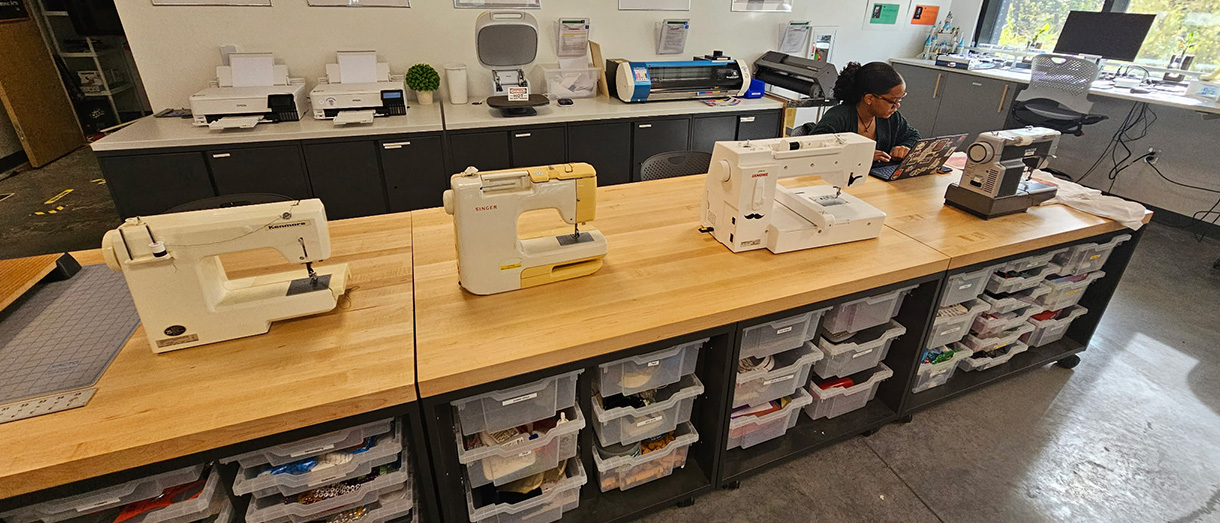
Makerspace Equipment
The makerspace contains equipment, tools, and technologies that encourages students to explore, build, tinker, and create.
Featured Equipment
3D Printers
Our 3D printers build up thin layers of plastic to create real objects based on digital models.
Training code: YELLOW
Laser Cutter/Engraver
Use our laser to make cuts and/or burn a design into varied materials. Can be used for finished products and prototyping.
Training code: YELLOW
Printer/Cutter
Prints and cuts high-quality images onto vinyl sheets for stickers and iron-on transfers. Make banners, removable wall and window signs, stickers in custom shapes, and fabric applications.
Training code: GREEN
Sublimation Printer
Print out images that can be transferred onto items such as hats, mugs, tote bags, and t-shirts (must be polyester or blend <30% cotton).
Training code: GREEN
Vinyl Press
Transfer printed images or vinyl onto t-shirts, hats, mugs, and many other materials.
Training code: GREEN
Sewing Machine
When your project's too large or complex to sew by hand, stitch fabric together at lightning speed with our sewing machine. Make costumes, clothing alterations, soft toys, quilt squares, and up-cycled projects.
Training code: GREEN
Embroidery Machine
Stitch embellishments onto fabric using designs from digital files. Make personalized clothing and gifts, decorative pillows, even holiday-themed napkins!
Training code: GREEN
Vinyl Cutter
Cut shapes out of adhesive materials, including stickers and iron on decals to create wall and iron on-decals.
Maximum project size = 23.7in x 164 ft.
Maximum media thickness = 10 mil (.25mm).
Training code: GREEN
Button Maker
This piece of machinery is used to turn designs on paper into metal-backed buttons, keychains, jewelry, or magnets.
Computers
Start or finish your Makerspace project using specialized design and editing software such as:
Computer Aided Design (CAD): Autodesk Fusion 360 (3D printing design)*, Tinkercad*, LightBurn (Laser engraver/cutter), Aspire
Graphic Design: Adobe Illustrator, InkScape*, Corel Print Shop
Embroidery: Ink/Stich* and Vinyl Cutting: Graphtec Studio
* Free or free for students
Hand Tools and Supplies
Browse our other equipment, tools, and materials that are available to help you complete your Makerspace projects.
Tools include: 4-12" mini circular saw, oscillating tool, power drill/driver, jig saw, cardboard cutter, metal punch, grommet maker, leather punch, measuring tape, levels, pliers, glue/tape.
Power hand tools training code: YELLOW
Color-Coded Training Details
Non color coded items can be used by Makerspace community members following initial safety training.
Non coded Equipment:
Non-power tools
Items in bins in the middle of the makerspace
Paper slicer/ Exacto knives
Computers
Ink Jet Printer
Glue guns
Laminating Machine
Button Maker
Green-coded items can be used under supervision during open hours, following completion of equipment specific training. Users with sufficient experience on a “green” or "yellow" or "red" piece of equipment may be granted swipe access for use outside of open hours.
Requirements:
Safety Orientation
Four hours of training prior to unsupervised access
Green-coded equipment:
Sewing Machine
Embroidery Machine
Vinyl Cutter
BN-20 Printer/Cutter
Heat Press
Sublimation Printer
Yellow-coded items can be used under supervision during open hours, following completion of equipment specific training. Users with sufficient experience on a “green” or "yellow" or "red" piece of equipment may be granted swipe access for use outside of open hours.
Requirements:
Safety Orientation
20 hours of training prior to unsupervised equipment access
Yellow-coded Equipment:
3D Printer
Laser Cutter
Power hand tools
Red-coded items can be used under supervision during open hours, following completion of equipment specific training. Users with sufficient experience on a “green” or "yellow" or "red" piece of equipment may be granted swipe access for use outside of open hours.
Requirements:
Safety Orientation
40 hours of supervised training prior to equipment access
Red-coded Equipment:
CNC Machine